
Upload a file to S3 and open its page in the console. You find two different-looking addresses for the same object, and a third kind that you can generate: the presigned URL. Using the wrong one is the source of many "why does this 403?" and "why does MediaConvert reject my input?" questions.
Here is what each one is, and when to use it.
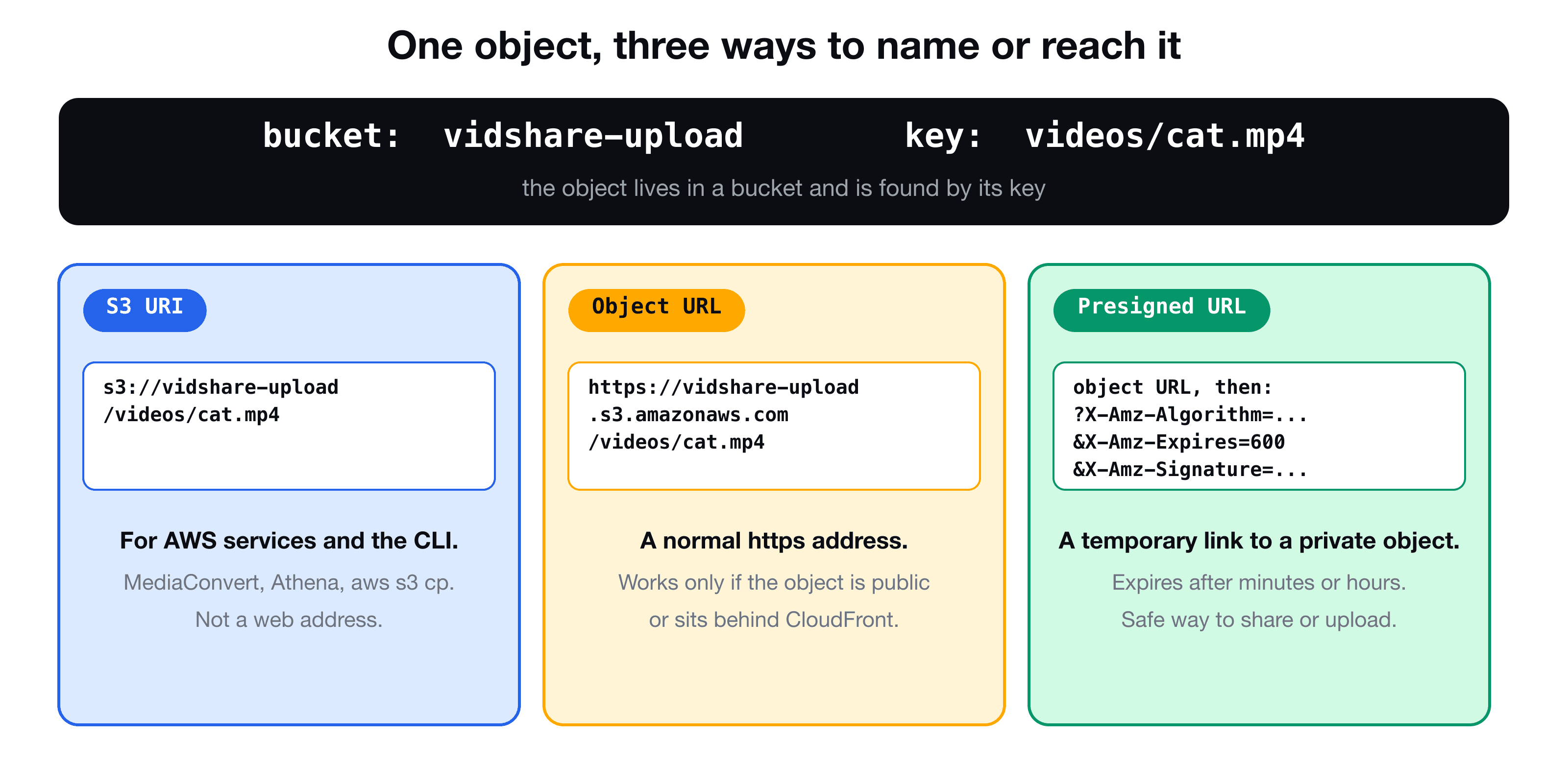
One object, three ways to reach it
Every S3 object is identified by a bucket and a key. The bucket is the container, and the key is the object's full name, including any "folders": videos/cat.mp4.
1. The S3 URI
s3://vidshare-upload/videos/cat.mp4
The format is s3://<bucket>/<key>. It is an AWS-internal way of naming an object. It works with the AWS CLI (aws s3 cp s3://bucket/key .) and with AWS services that take an input location, such as MediaConvert, Athena or Glue. It is not a web address: paste it into a browser and nothing happens.
2. The object URL
https://vidshare-upload.s3.us-east-1.amazonaws.com/videos/cat.mp4
The format is https://<bucket>.s3.<region>.amazonaws.com/<key>. This is a normal web address, which is what a browser, a <video> tag or curl needs. Older examples show https://<bucket>.s3.amazonaws.com/<key>, which still works for many buckets, but the regional form is the one to use.
There is a catch. By default a bucket is private, so requesting its object URL returns 403 Forbidden. The object URL only works if:
- the object (or bucket) has been made public, or
- the bucket sits behind CloudFront (or another gateway) that is allowed to read it.
3. The presigned URL
https://vidshare-upload.s3.us-east-1.amazonaws.com/videos/cat.mp4?X-Amz-Algorithm=...&X-Amz-Expires=600&X-Amz-Signature=...
A presigned URL is an object URL plus a signature in the query string. The signature proves that someone with permission authorised this exact request, for a limited time. It is the way to share or upload to a private object without making the bucket public. The generation and the common pitfalls are covered in S3 presigned URLs in TypeScript.
| S3 URI | Object URL | Presigned URL | |
|---|---|---|---|
| Looks like | s3://bucket/key | https://bucket.s3.region.amazonaws.com/key | Object URL + signature |
| Used by | AWS services, CLI | Browsers, apps | Browsers, apps |
| Works for a private object | Yes, with IAM permission | No | Yes, until it expires |
| Expires | No | No | Yes |
A real case: MediaConvert in, browser out
In the VidShare pipeline both formats appear in the same flow:
- The user uploads a video to the upload bucket.
- A Lambda creates a MediaConvert job. The job's input and output locations are given as S3 URIs, because MediaConvert is an AWS service.
- The finished renditions (720p, 480p) land in the output bucket.
- The app needs to play them in a browser, so the database must store object URLs: the video player needs an
httpsaddress.
So the Lambda converts one into the other. (The conversion job itself is shown in Transcode video on AWS with MediaConvert, EventBridge and Lambda.)
const toS3Uri = (bucket: string, key: string) => `s3://${bucket}/${key}`;

const toObjectUrl = (bucket: string, region: string, key: string) =>
  `https://${bucket}.s3.${region}.amazonaws.com/${key.split("/").map(encodeURIComponent).join("/")}`;

const parseS3Uri = (uri: string) => {
  const [, , bucket, ...rest] = uri.split("/");
  return { bucket, key: rest.join("/") };
};
toObjectUrl encodes each part of the key, because keys can contain spaces and other characters that are not valid in a URL. Do not encode the slashes: they separate the "folders".
The Lambda can then record where each rendition lives, with the URLs built from its configuration:
const files = {
  "720p": toObjectUrl(env.OUTPUT_BUCKET_NAME, env.OUTPUT_BUCKET_REGION, `${id}/720p.mp4`),
  "480p": toObjectUrl(env.OUTPUT_BUCKET_NAME, env.OUTPUT_BUCKET_REGION, `${id}/480p.mp4`),
};
await videoDb.update(id, { files }); // see the UpdateItem post
A test for it is short. Set the output bucket in the environment, run the handler, and check that the update was called with https://<bucket>.s3.<region>.amazonaws.com/<id>/720p.mp4 for the 720p file.
Which should you store?
Prefer to store the bucket and key, and build the URL when you need it. A URL is derived data: the domain may change when you put CloudFront in front of the bucket, and a presigned URL expires. If you save a final, public object URL (as a demo project does), you must change every record if you later switch to a CDN.
Key takeaways
- ✓An S3 URI (s3://bucket/key) is for AWS services and the CLI. It is not a web address.
- ✓An object URL (https://bucket.s3.region.amazonaws.com/key) is for browsers, but only works for public objects or behind CloudFront.
- ✓A presigned URL is an object URL with a time-limited signature for a private object.
- ✓Pass S3 URIs to MediaConvert, store or generate object or presigned URLs for playback.
- ✓Store bucket and key, and derive the URL when you need it.
See the whole upload-to-playback flow
VidShare: Build a Video Streaming Platform on AWS builds it end to end: presigned upload, S3 events, MediaInfo, MediaConvert, EventBridge, DynamoDB and search, all deployed with CDK. 109 lessons, lifetime access, and three lessons are free to watch.