
A user just uploaded a video straight to S3 with a presigned URL. Now what? Your API never saw the file, so it can't react to it. S3 can. Every time an object is created, S3 can call a Lambda for you.
In the VidShare platform, that Lambda marks the video as uploaded, inspects the file with MediaInfo to learn its real resolution, and decides which versions to transcode.
Events: S3 publishes, Lambda subscribes
This is the publish/subscribe pattern. S3 is the publisher of an "object created" event; your Lambda is a subscriber.
There are two ways to wire it:
- Direct: S3 calls the Lambda itself. Simple, and what we use here.
- Through an event bus: S3 sends events to EventBridge, which fans them out to any number of subscribers. We use that pattern later for MediaConvert job events.
What the event looks like
The quickest way to learn an event's shape: make a Lambda that only logs it.
export const handler = async (event: unknown) => {
  console.log(JSON.stringify(event));
};
In the S3 console, open the bucket's Properties → Event notifications → Create event notification, choose the PUT event type, and set your Lambda as the destination. Upload a file, then open the function's CloudWatch log group:
{
  "Records": [
    {
      "eventName": "ObjectCreated:Put",
      "s3": {
        "bucket": { "name": "vidshare-upload-bucket", "arn": "arn:aws:s3:::vidshare-upload-bucket" },
        "object": { "key": "9f1c2b7e-video-id", "size": 158008374 }
      }
    }
  ]
}
Everything you need is in Records[0].s3: the bucket name and the object key. In VidShare the key is the video ID, which makes the next step trivial.
Wire it up with CDK instead of clicking
import * as s3Notification from "aws-cdk-lib/aws-s3-notifications";

const s3EventListener = new lambdaFn.NodejsFunction(this, "S3EventListener", {
  entry: resolve(__dirname, "../../lambdas/s3EventListener.ts"),
  environment: s3EventListenerEnv,
  timeout: cdk.Duration.seconds(15),
});

uploadBucket.addObjectCreatedNotification(
  new s3Notification.LambdaDestination(s3EventListener),
);
table.grantWriteData(s3EventListener);
uploadBucket.grantRead(s3EventListener);
CDK creates the notification and the permission that lets S3 invoke the function. Do it by hand and you have to remember both.
What the handler has to do
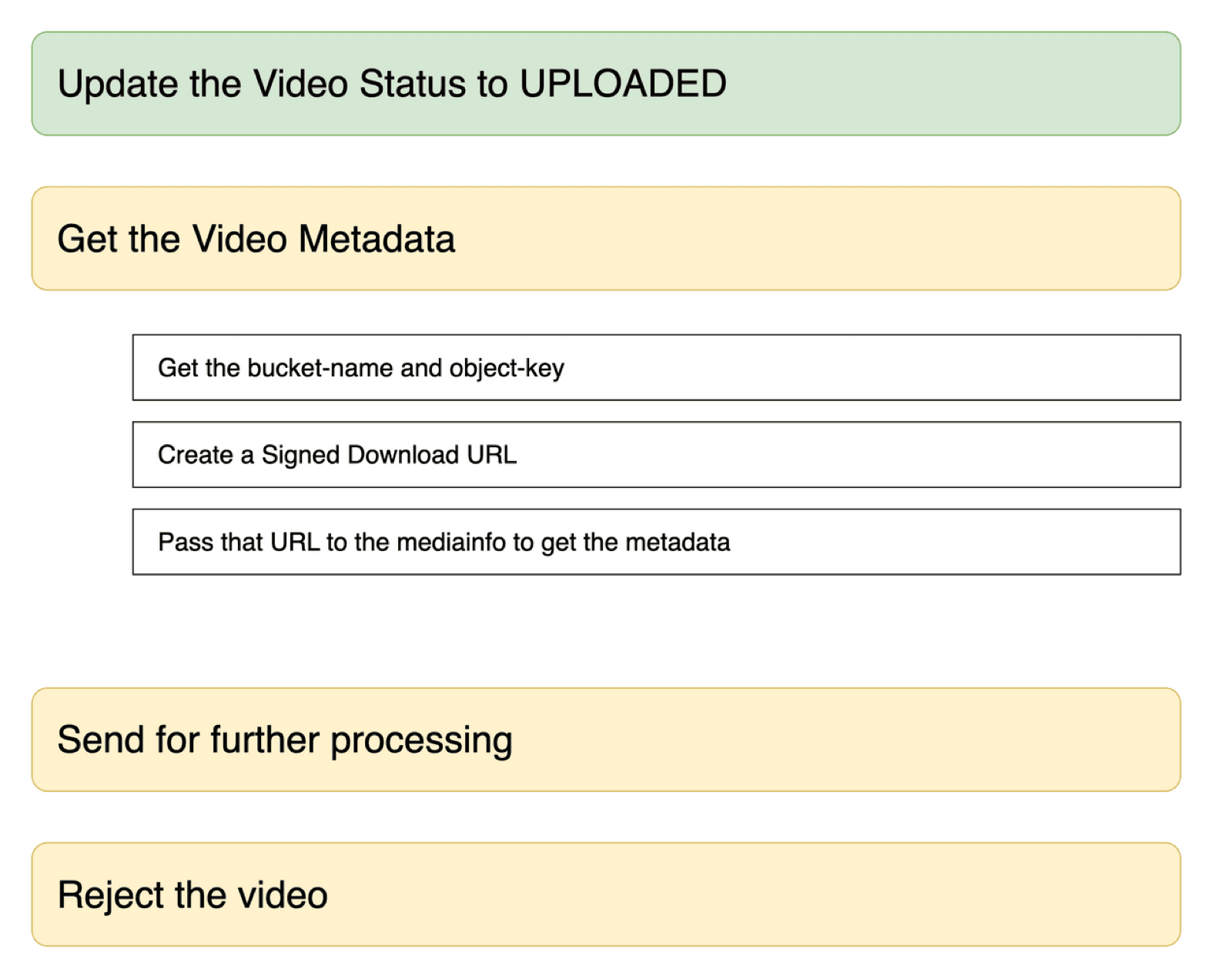
- Set the video's status to
UPLOADEDin DynamoDB. - Get the video's metadata: create a short-lived signed download URL and pass it to MediaInfo.
- Based on the metadata, send it for transcoding (or reject it).
Run MediaInfo inside Lambda
MediaInfo reads a video's technical details: resolution, duration, bitrate, codecs. It ships as a static Linux binary, and Lambda can run binaries through Node's child_process, just like your terminal runs ls.
The nice part: given a URL, MediaInfo doesn't download the whole file. Container metadata sits near the start of the file, so it reads only what it needs. A 4 GB upload costs a few kilobytes.
The class from the course:
import child_process from "child_process";

interface Metadata { width: number; height: number; fileSize: number }

export class VideoMetadata {
  constructor(private config: { mediaInfoCliPath: string }) {}

  async fromUrl(url: string): Promise<Metadata> {
    return new Promise((resolve, reject) => {
      child_process.exec(
        `${this.config.mediaInfoCliPath} --output=JSON '${url}'`,
        (e, data) => {
          if (e) return reject(e);
          const payload = JSON.parse(data);
          resolve({
            fileSize: parseInt(payload.media.track[0].FileSize), // "General" track
            height: parseInt(payload.media.track[1].Height),     // "Video" track
            width: parseInt(payload.media.track[1].Width),
          });
        },
      );
    });
  }
}
--output=JSON gives you a media.track array: the first track is general info (size, duration), then video, then audio.
Ship the binary with your Lambda
NodejsFunction bundles your TypeScript with esbuild, but it doesn't know about a random binary file. A bundling command hook copies it into the output:
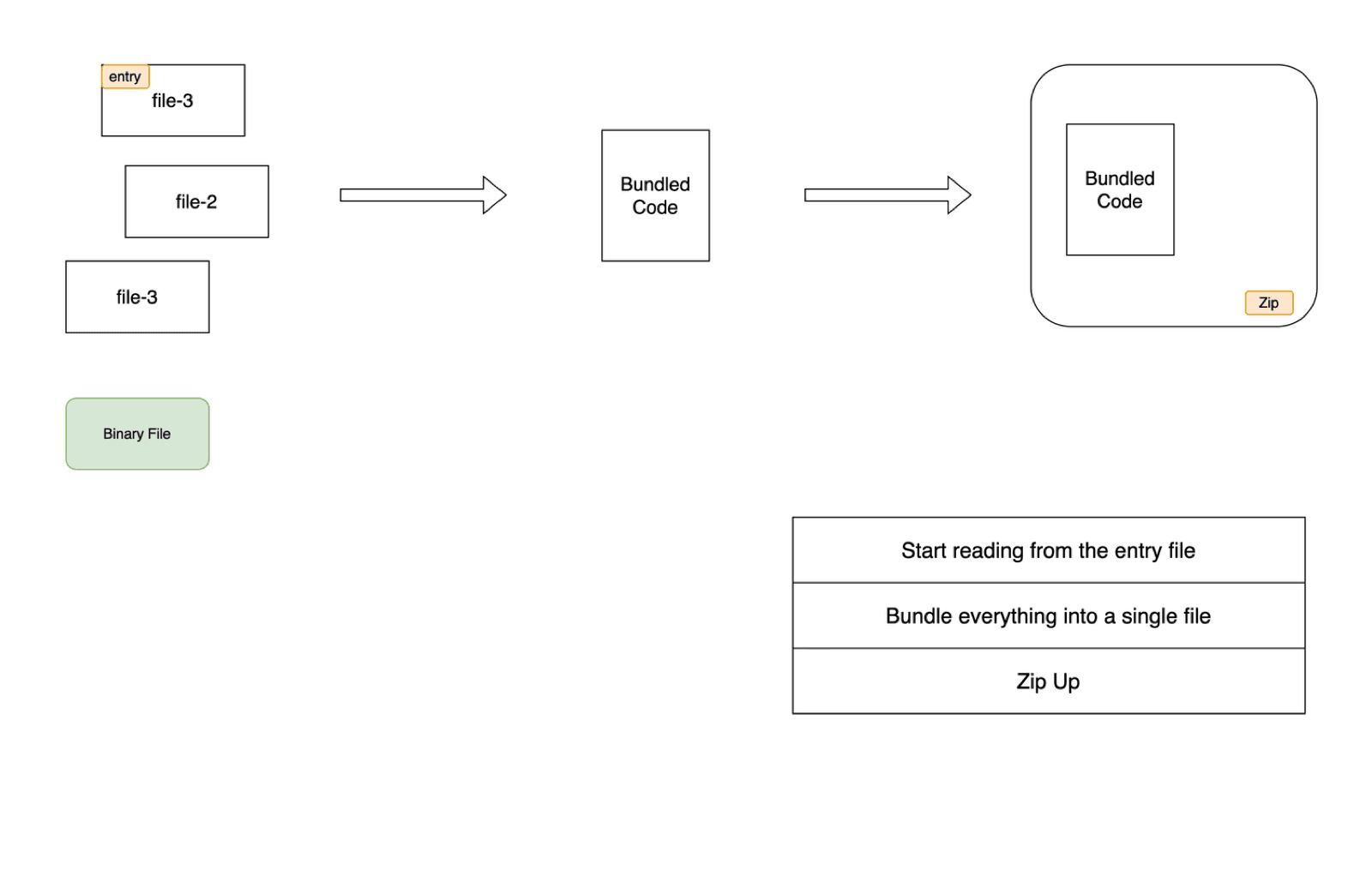
bundling: {
  commandHooks: {
    afterBundling(inputDir, outputDir) {
      return [`cp '${inputDir}/lambda-binary/mediainfo' '${outputDir}'`];
    },
    beforeBundling() { return []; },
    beforeInstall() { return []; },
  },
},
Then point the function at it with an environment variable like MEDIA_INFO_CLI_PATH: "./mediainfo".
Decide what to transcode
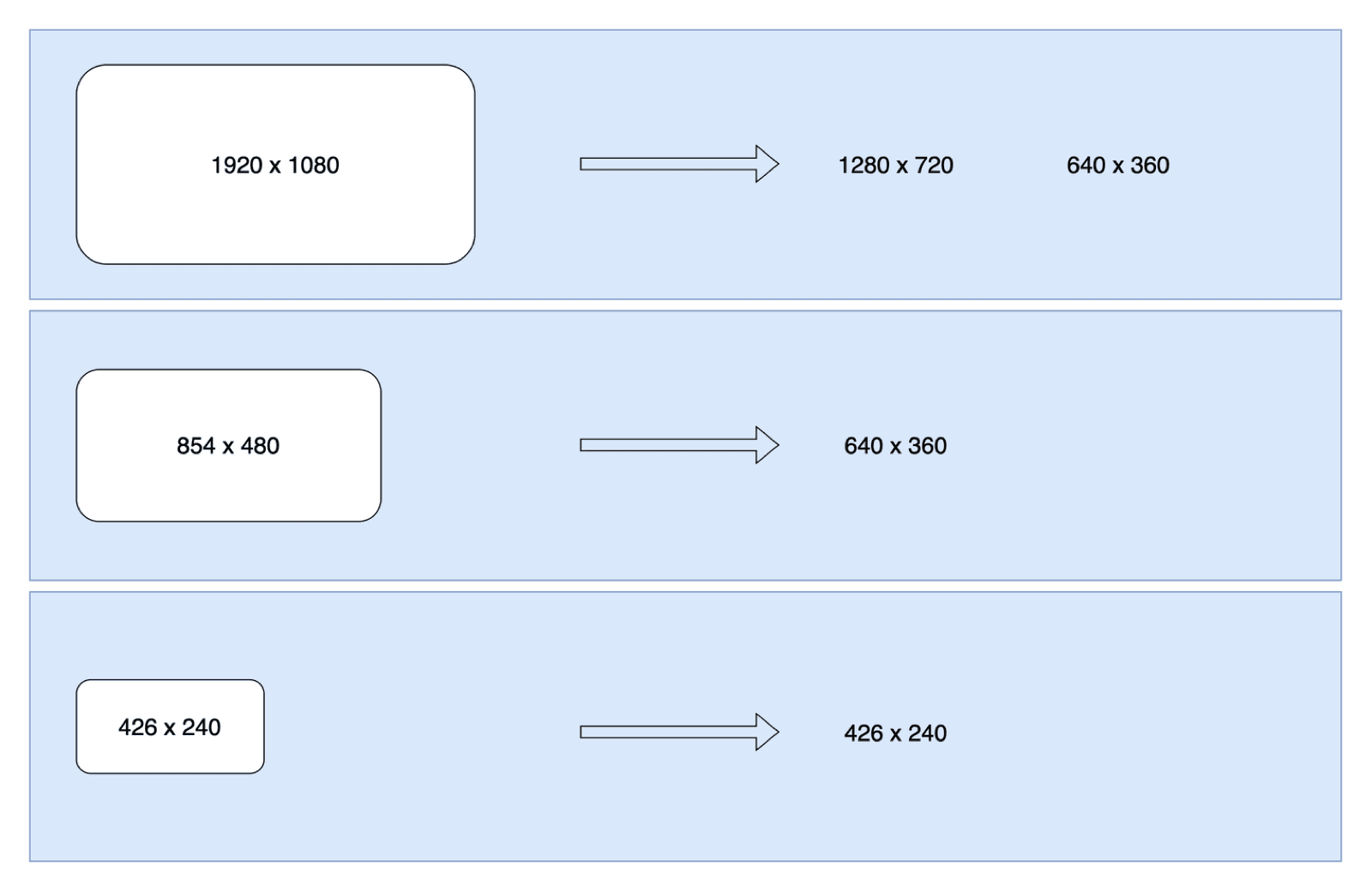
Resolution rules, YouTube-style, and never upscale:
const id = e.Records[0].s3.object.key;

const metadata = await videoMetadata.fromUrl(
  await uploadBucket.getDownloadUrl({ key: id, expiresIn: 2 * 60 }),
);

if (metadata.width >= 1280) {
  videoConverter.addResolution({ width: 1280, height: 720, bitRate: 500000, nameExtension: "_720p" });
}
if (metadata.width >= 640) {
  videoConverter.addResolution({ width: 640, height: 360, bitRate: 100000, nameExtension: "_360p" });
} else {
  // smaller than 640 wide: keep the original size
  videoConverter.addResolution({ width: metadata.width, height: metadata.height, bitRate: 100000, nameExtension: "_240p" });
}

await videoDB.update({ id, attrs: { status: "UPLOADED", ...videoDB.changes } });
await videoConverter.convert(); // starts the MediaConvert job
You could also reject files over a size limit here using metadata.fileSize. Then videoConverter.convert() hands the job to AWS Elemental MediaConvert, and an EventBridge rule tells us when it's done. That's the next part of the pipeline, covered in the architecture overview.
Key takeaways
- ✓S3 can invoke a Lambda on every object created; the bucket and key are in Records[0].s3.
- ✓addObjectCreatedNotification in CDK wires the event and the invoke permission.
- ✓MediaInfo reads metadata from a signed URL without downloading the whole file.
- ✓Ship extra binaries with a bundling commandHook; match the Lambda's CPU architecture.
- ✓Choose output resolutions from the input width, and never upscale.
Build the whole pipeline
This handler is one link in VidShare: presigned upload → S3 event → MediaInfo → MediaConvert → EventBridge → DynamoDB → OpenSearch, all in TypeScript with Jest tests and CDK. 109 lessons, lifetime access. Start with the free lesson on presigned URLs.