
Clicking through the AWS console is fine for your first Lambda. By your fifth interconnected resource it becomes a liability: nobody remembers which checkbox was ticked, you can't review changes, and recreating the setup in another region is a weekend gone.
AWS CDK fixes that. You describe your infrastructure in TypeScript, and CDK turns it into CloudFormation and deploys it. To understand CDK properly, start one level down.
Four ways to create AWS resources
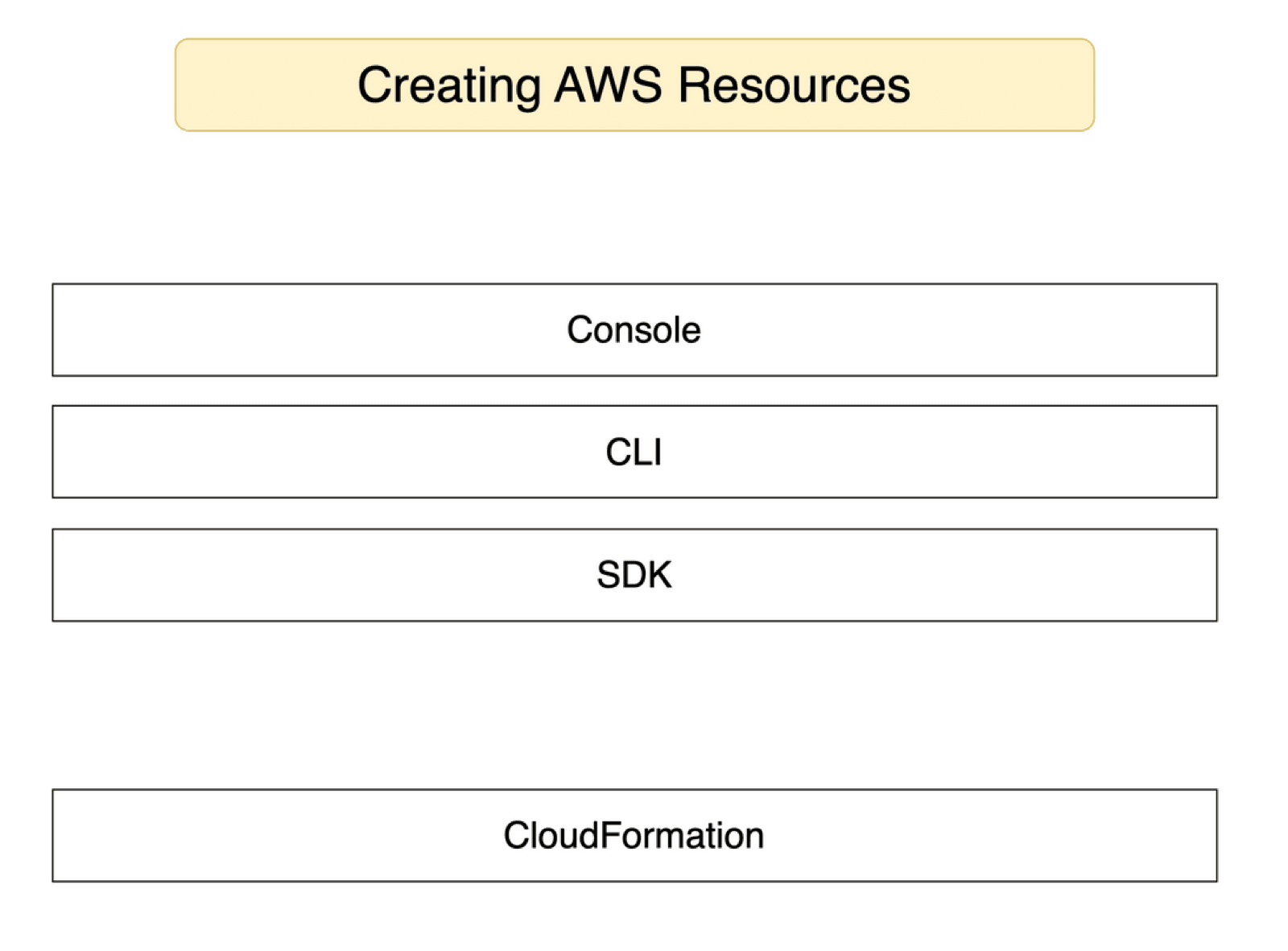
- Console: click and fill forms.
- CLI:
aws dynamodb create-table ...with flags. - SDK: create resources from code, e.g. Node.js.
- CloudFormation: write a template listing the resources you want, hand it to AWS, and AWS creates them.
Imperative vs declarative (the coffee analogy)
The first three are imperative: you spell out every step. CloudFormation is declarative: you describe the end result.
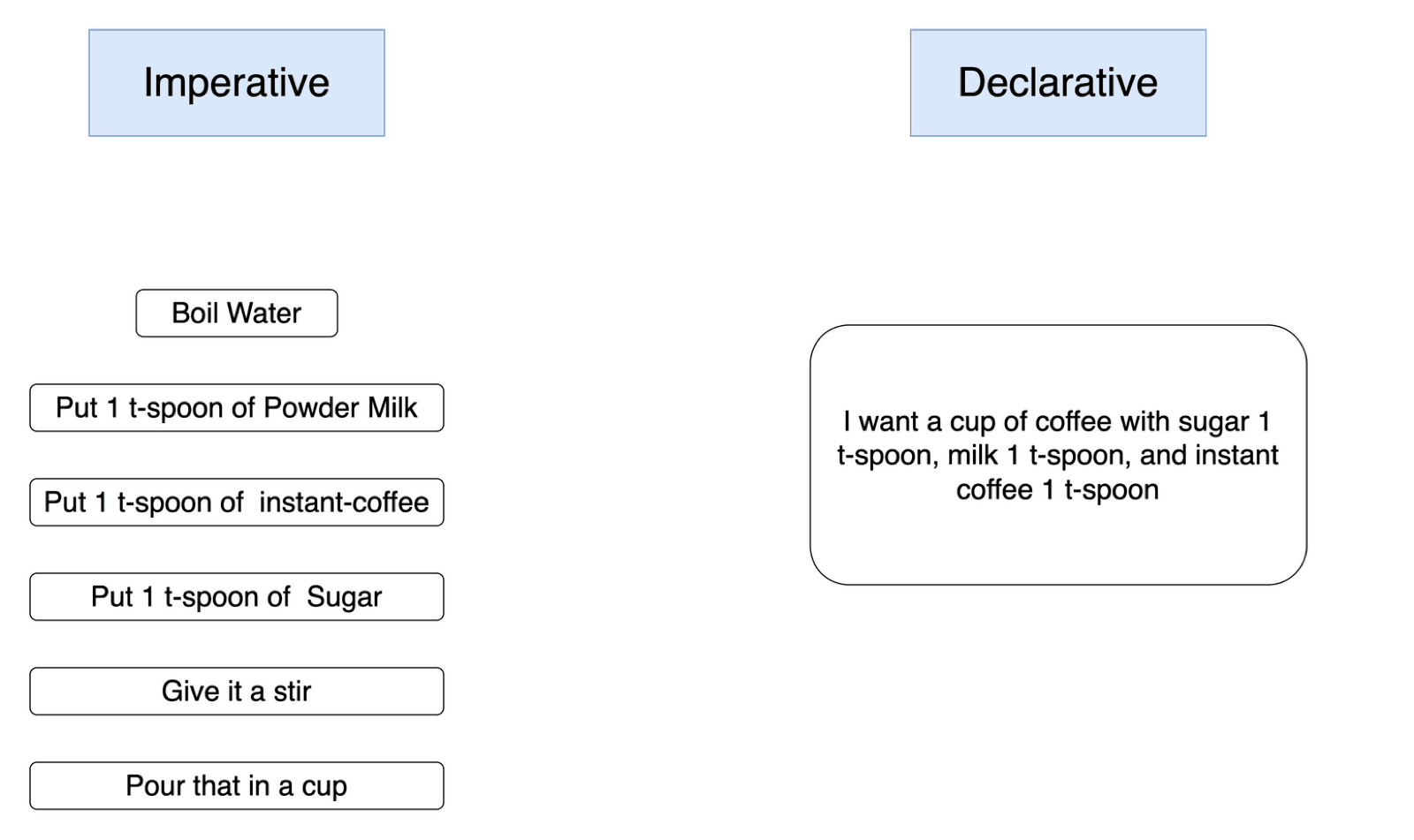
Making coffee imperatively: boil water, add milk powder, add coffee, add sugar, stir, pour. Declaratively: "one cup of coffee, one spoon each of sugar, milk and coffee." The system works out the steps.
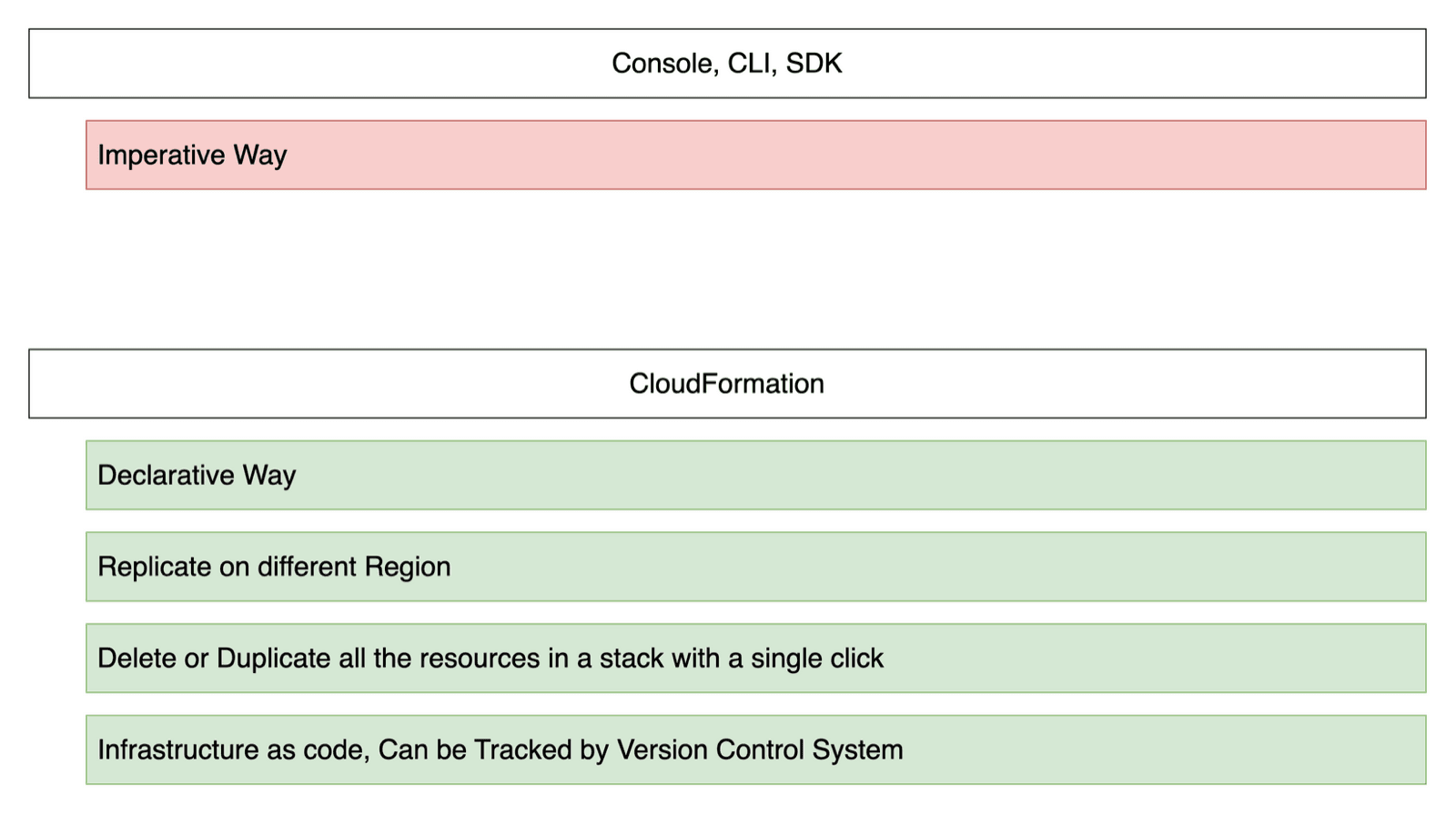
What the declarative approach buys you:
- Replicate anywhere. Same template, different region, identical resources.
- Delete or duplicate a whole stack in one go, instead of hunting down ten tables by hand.
- Infrastructure as code. It lives in git: reviewed, versioned, revertible.
Why CDK instead of raw CloudFormation?
CloudFormation templates are long YAML or JSON. You live in the docs, and a typo like AttributeDefinition instead of AttributeDefinitions only fails at deploy time.
CDK's idea is simple: generate the template from a real programming language. In TypeScript you get autocompletion, type checking, loops, functions and refactoring. Under the hood, cdk synth still produces a normal CloudFormation template.
Constructs: the building blocks
Everything in CDK is a construct, and constructs form a tree:
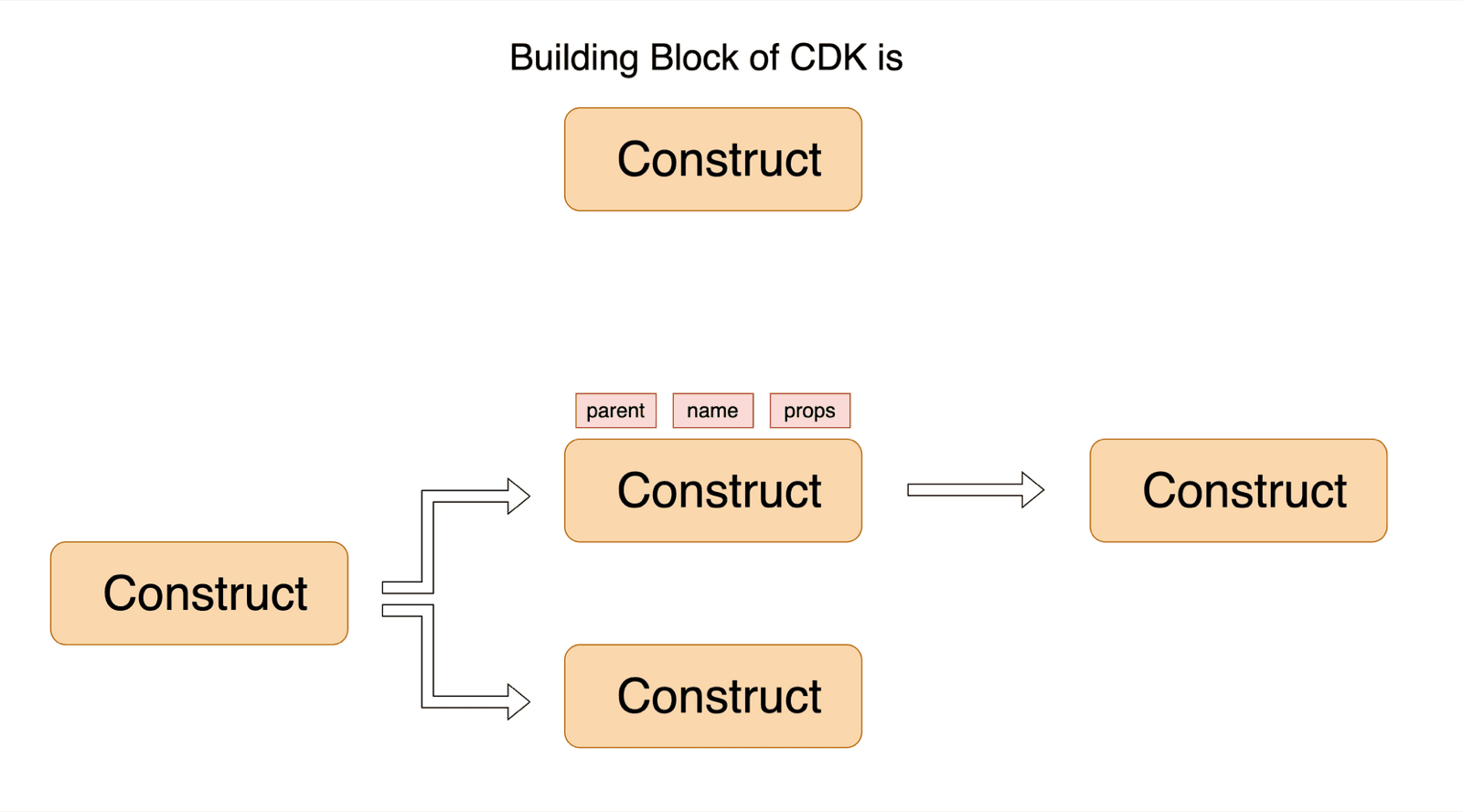
- The App is the root. It has no parent.
- An App contains one or more Stacks (each becomes a CloudFormation stack).
- A Stack contains resources: buckets, tables, functions. They're constructs too.
Every construct is a class you instantiate with the same three arguments: parent (scope), id (unique among its siblings) and props (its configuration). That's why you see this passed everywhere: it's the parent.
new s3.Bucket(this, "UploadBucket", { removalPolicy: cdk.RemovalPolicy.DESTROY });
// ^parent ^id ^propsSet up, bootstrap, init
npm install -g aws-cdk          # the CDK CLI
aws configure                   # credentials in ~/.aws/credentials
cdk bootstrap aws://<account-id>/<region>
mkdir first-cdk-app && cd first-cdk-app
cdk init app --language typescript
Bootstrapping happens once per account and region. It creates an S3 bucket and IAM roles that CDK uses to upload templates and your Lambda code before deploying.
cdk init generates a project. Two files matter:
bin/first-cdk-app.tscreates the App and your Stack.lib/first-cdk-app-stack.tsis where you declare resources.
A real stack: from the VidShare course
Here's a simplified version of the stack we deploy in the course: an upload bucket, a video table, a Lambda that reacts to uploads, and a REST API.
import * as cdk from "aws-cdk-lib";
import * as apigateway from "aws-cdk-lib/aws-apigateway";
import * as dynamodb from "aws-cdk-lib/aws-dynamodb";
import * as lambdaFn from "aws-cdk-lib/aws-lambda-nodejs";
import * as s3 from "aws-cdk-lib/aws-s3";
import * as s3Notification from "aws-cdk-lib/aws-s3-notifications";
import { Construct } from "constructs";
import { resolve } from "path";

export class VidShareAppStack extends cdk.Stack {
  constructor(scope: Construct, id: string, props?: cdk.StackProps) {
    super(scope, id, props);

    const table = new dynamodb.Table(this, "VideoTable", {
      partitionKey: { name: "id", type: dynamodb.AttributeType.STRING },
      billingMode: dynamodb.BillingMode.PAY_PER_REQUEST,
      removalPolicy: cdk.RemovalPolicy.DESTROY,
    });

    const uploadBucket = new s3.Bucket(this, "UploadBucket", {
      removalPolicy: cdk.RemovalPolicy.DESTROY,
    });

    // TypeScript Lambda, bundled automatically by CDK
    const videoCrudHandler = new lambdaFn.NodejsFunction(this, "videoCrudHandler", {
      entry: resolve(__dirname, "../../lambdas/videoCrudHandler.ts"),
      environment: {
        VIDEO_TABLE_NAME: table.tableName,
        UPLOAD_BUCKET_NAME: uploadBucket.bucketName,
      },
    });
    table.grantReadWriteData(videoCrudHandler);
    uploadBucket.grantPut(videoCrudHandler);

    // React to every new upload
    const s3EventListener = new lambdaFn.NodejsFunction(this, "S3EventListener", {
      entry: resolve(__dirname, "../../lambdas/s3EventListener.ts"),
      timeout: cdk.Duration.seconds(15),
    });
    uploadBucket.addObjectCreatedNotification(
      new s3Notification.LambdaDestination(s3EventListener),
    );

    // REST API: /video -> CRUD Lambda
    const api = new apigateway.RestApi(this, "VidShareMainApi");
    api.root.addResource("video")
      .addMethod("ANY", new apigateway.LambdaIntegration(videoCrudHandler));
  }
}
Notice what you didn't write: IAM policy JSON, S3 notification configuration, Lambda packaging, API Gateway deployment plumbing. grantReadWriteData and grantPut produce least-privilege IAM policies for you, and NodejsFunction bundles your TypeScript with esbuild.
Synth, deploy, destroy
cdk synth     # print the generated CloudFormation template
cdk diff      # what would change in AWS
cdk deploy    # create or update the stack
cdk destroy   # delete everything in the stack
cdk deploy shows IAM changes and asks for confirmation. Afterwards, open CloudFormation in the console and you'll see your stack with every resource inside it.
Key takeaways
- ✓Console, CLI and SDK are imperative; CloudFormation is declarative.
- ✓CDK generates CloudFormation from TypeScript, with types and autocompletion.
- ✓Everything is a construct: (parent, id, props), forming App → Stack → resources.
- ✓Bootstrap once per account and region, then synth, diff, deploy, destroy.
- ✓grant* methods write least-privilege IAM for you.
Deploy a real system with it
In VidShare CDK isn't a side topic: the entire video platform (API Gateway, Lambdas, DynamoDB, two S3 buckets, MediaConvert, EventBridge rules and an OpenSearch domain with a custom resource) is defined in one stack and deployed with one command. 109 lessons, lifetime access. Start with the free architecture lesson.