
Most developers come to DynamoDB from SQL, design tables the SQL way, and end up fighting the database. DynamoDB isn't hard. It just asks you a different first question: not "what is my data?" but "how will my app read it?"
Here's the mental model, with the diagrams from the VidShare course and the real table we build in it.
SQL normalises; NoSQL stores what you read
Take an e-commerce app. In SQL you split data into tables (customers, orders, addresses) and link them with foreign keys. To show a customer with their orders, the database joins those tables on the fly.
That design comes from an era when storage was expensive: normalise to save space, pay with CPU on every query. Today storage is cheap and apps need to be fast, so NoSQL flips the trade-off: store the document the way you'll read it.
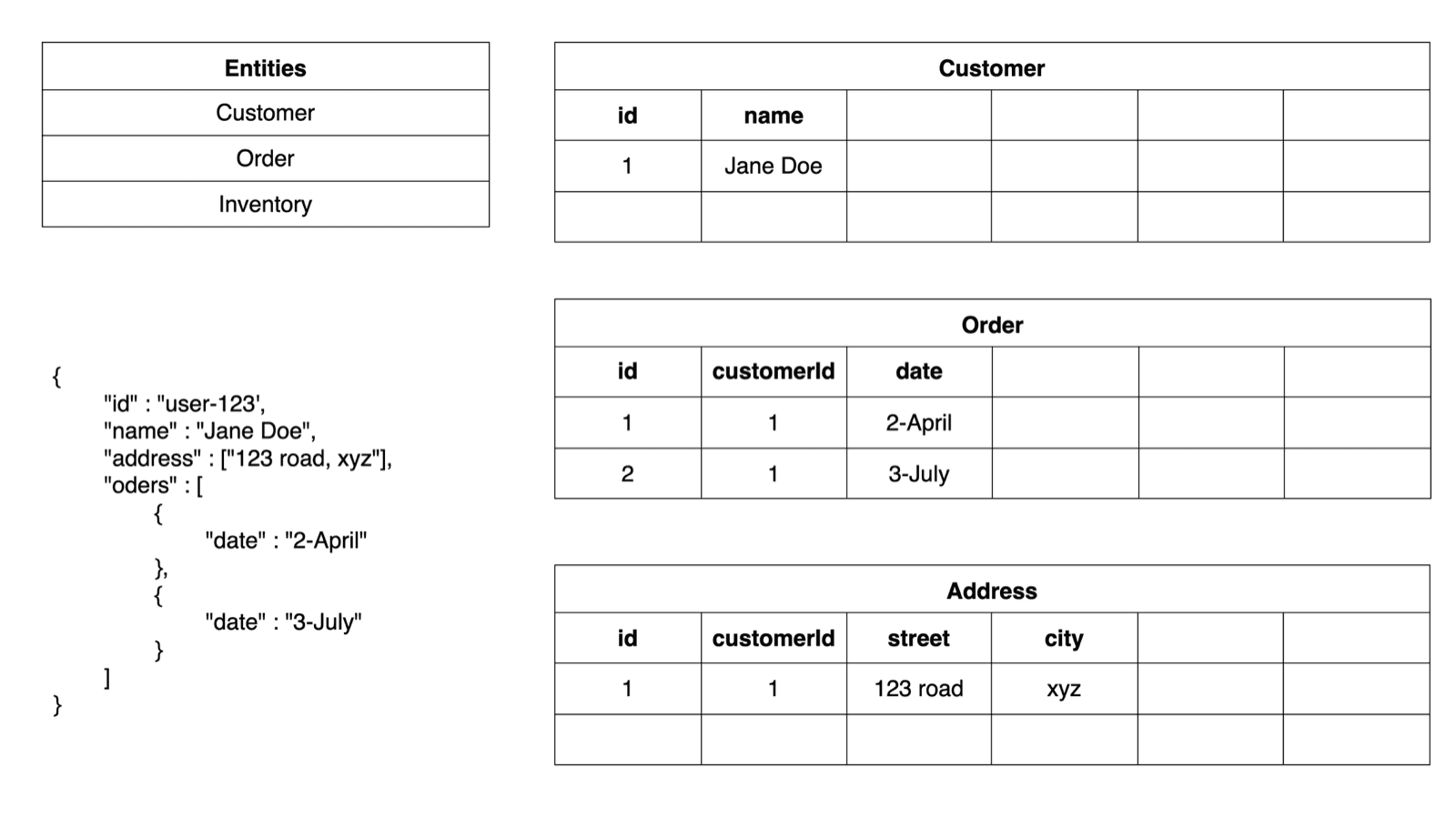
The catch: you can't freely query inside nested data later. You must know your access patterns (every way your app will fetch data) before you design the table.
Partition key: which box your item lives in
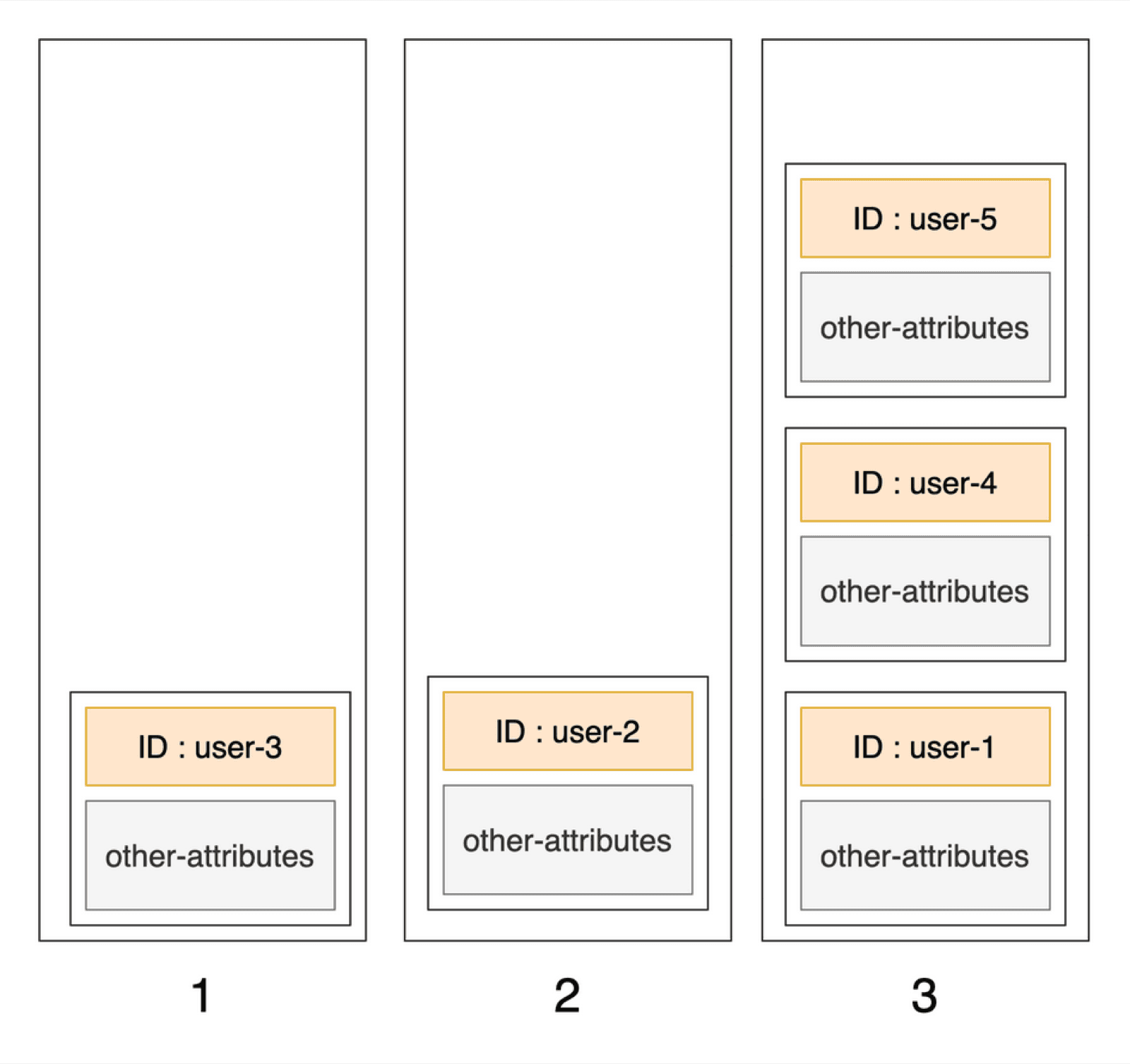
DynamoDB spreads data across many partitions. When you write an item, it takes the item's partition key value, runs it through a hash function, and the result decides the partition.
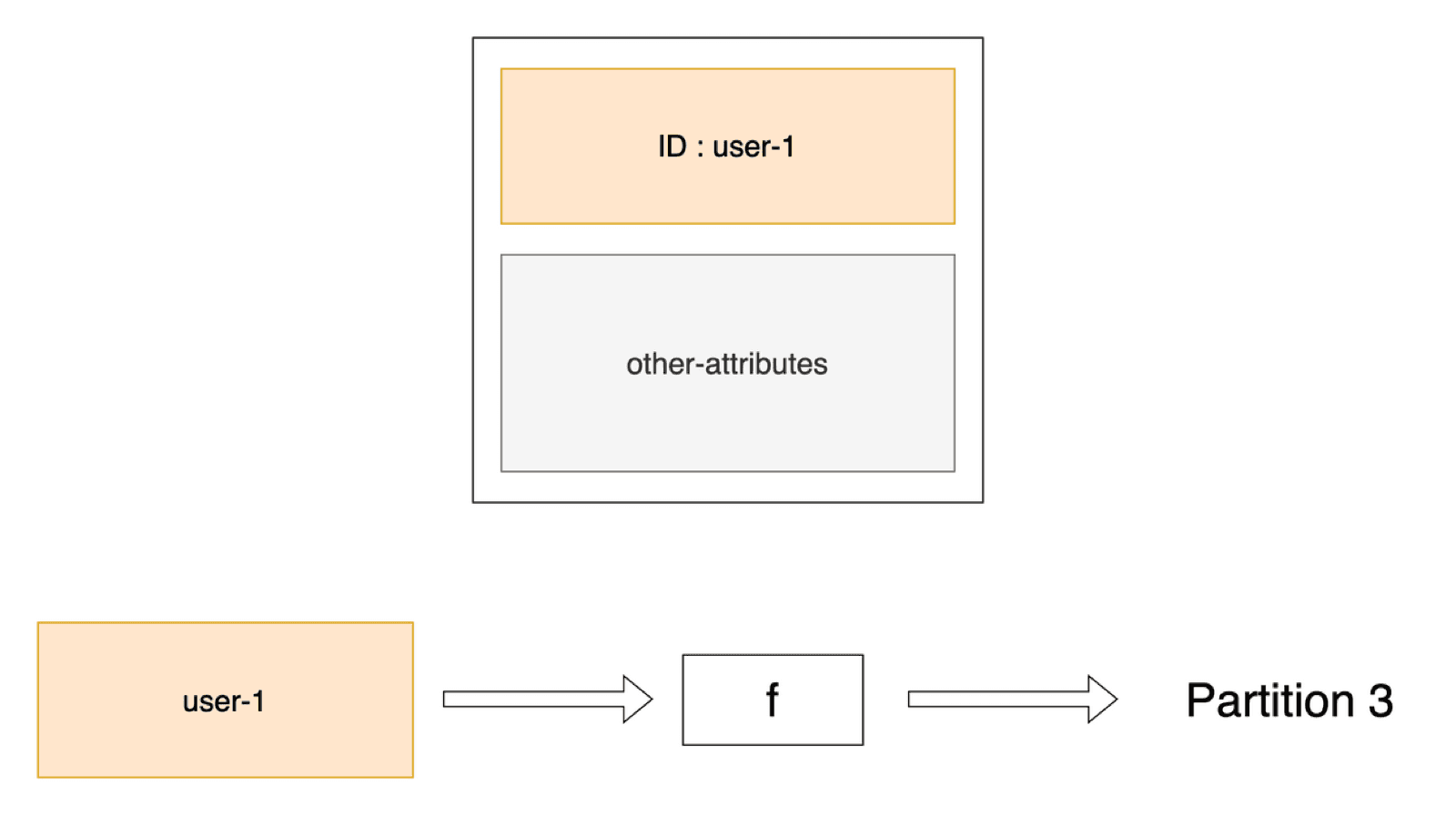
Reads work the same way. Ask for user-3 and DynamoDB hashes user-3, goes straight to the right partition, and returns the item. No scanning. That's why key lookups stay fast at any scale.
Sort key: order inside the box
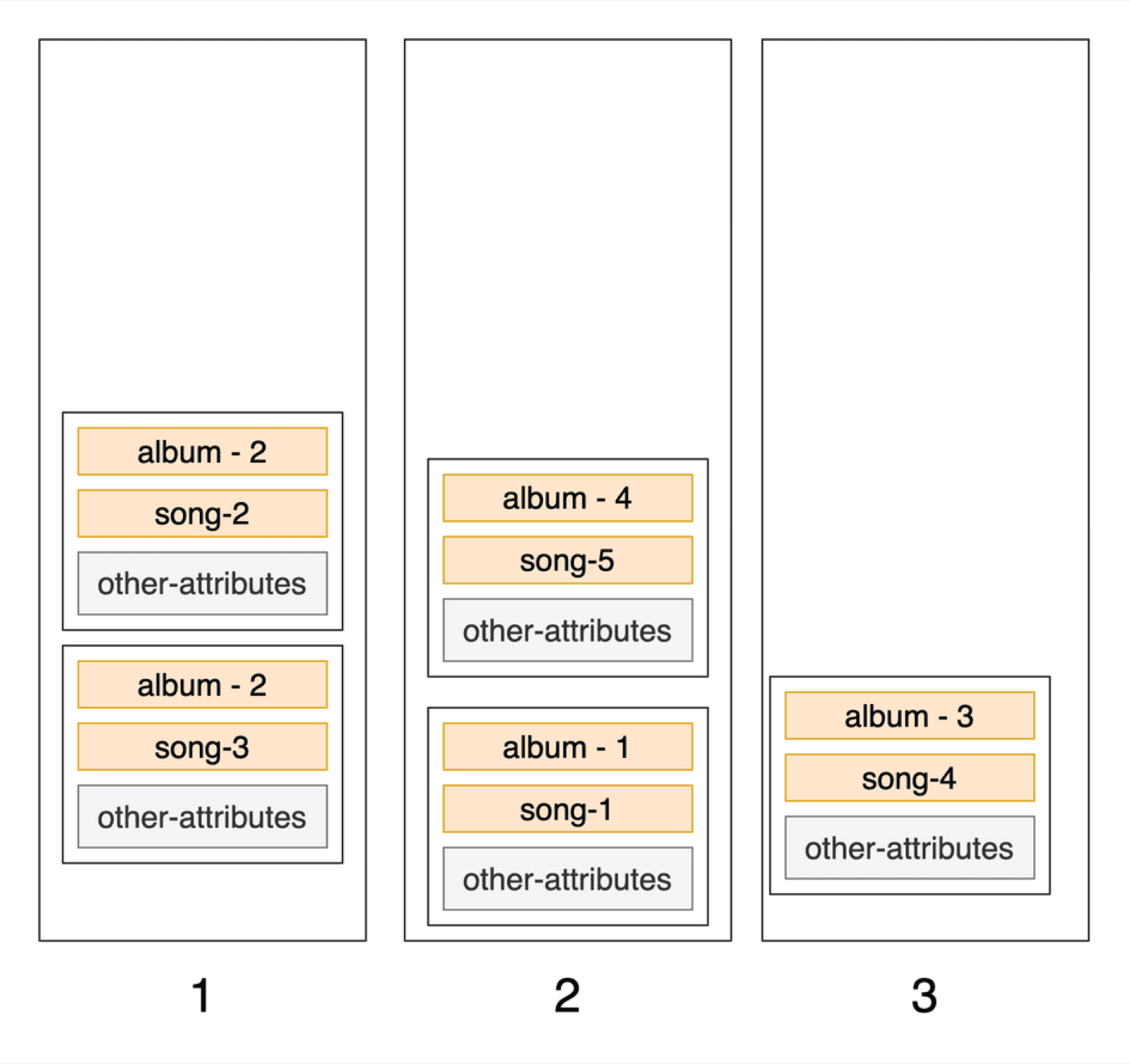
Now design a songs table with album as the partition key. Two songs from the same album produce the same hash, so they land in the same partition. To keep them apart and ordered, DynamoDB lets you add a sort key, for example the song name.
Primary key = partition key + (optional) sort key
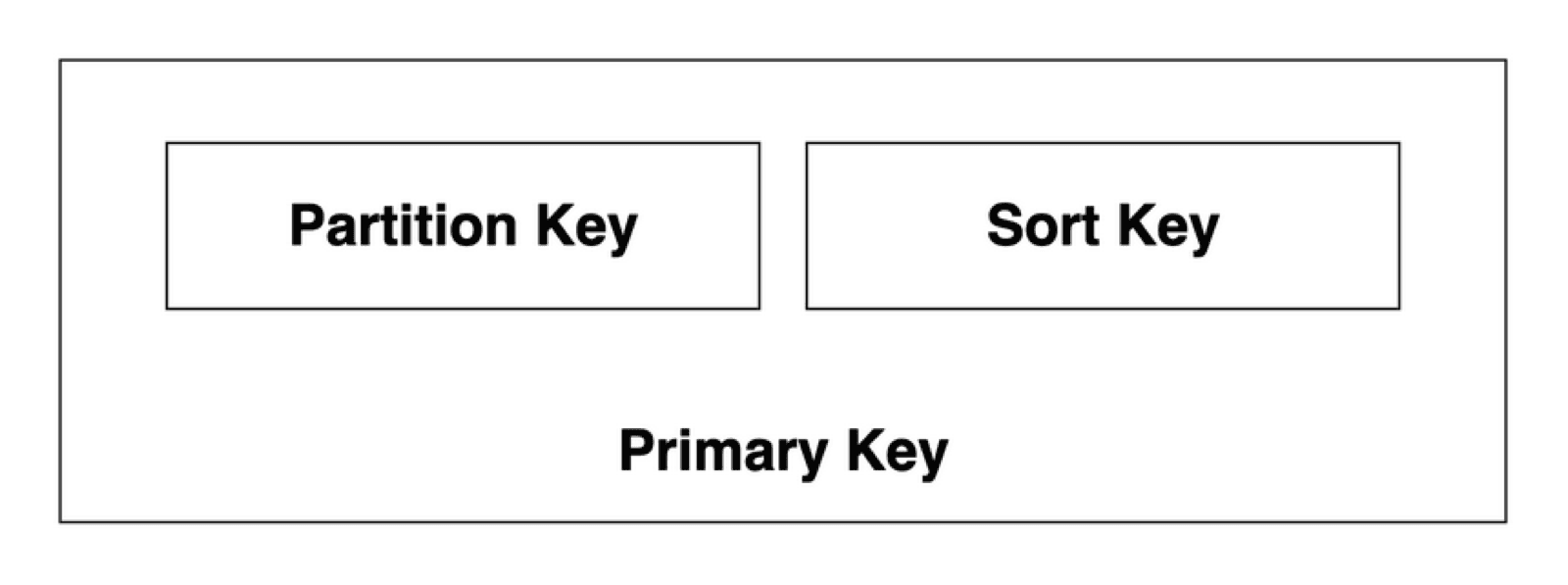
- The partition key is required on every item.
- The sort key is optional. You need it whenever the partition key alone isn't unique.
- Together they form the primary key. "Album 4, song 5": hash album 4 to find the partition, then the sort key finds song 5.
Secondary indexes: a second way to query
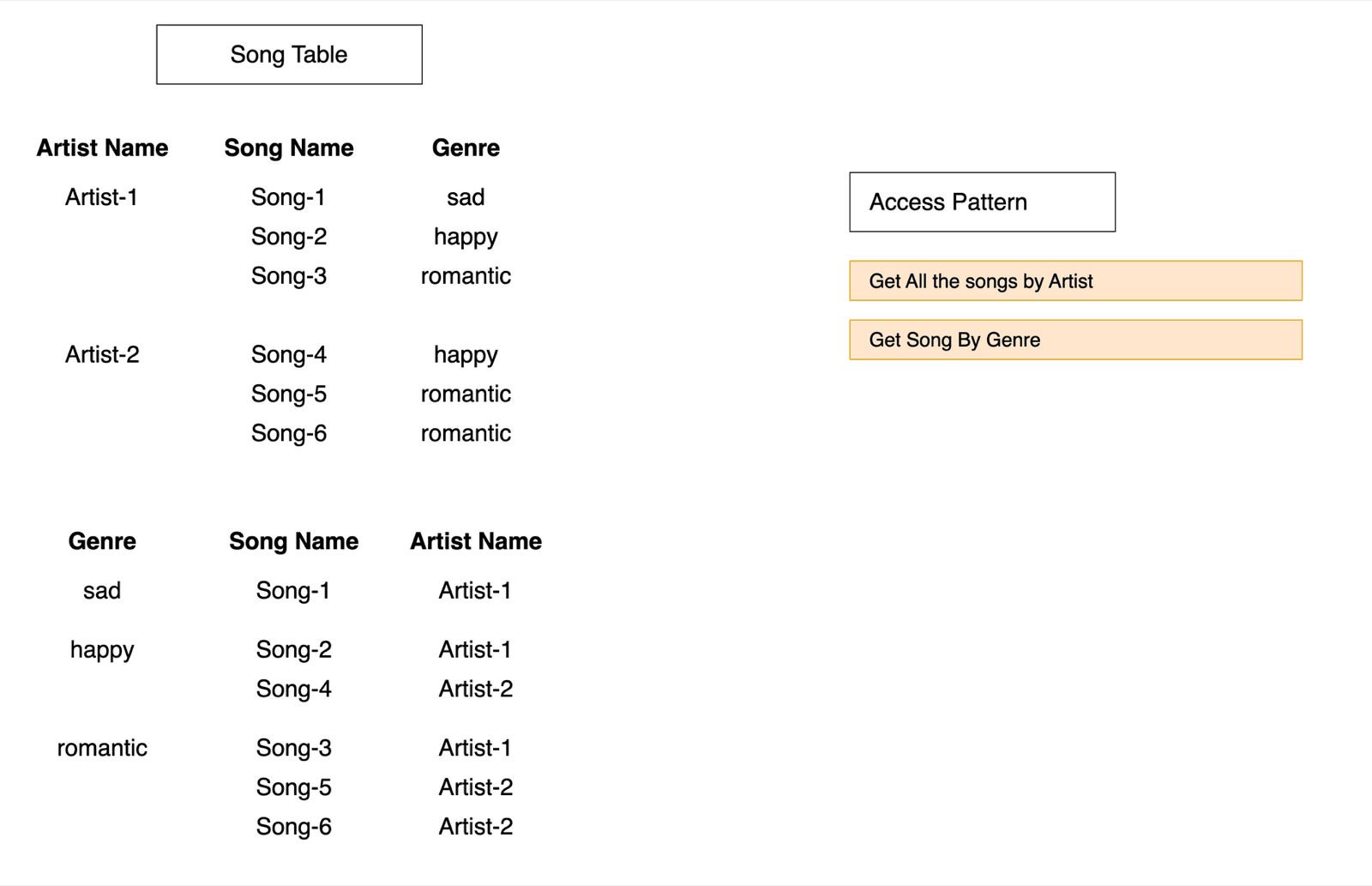
Say the songs table uses artist as the partition key. "All songs by an artist" is easy. But "all romantic songs"? Genre isn't a key, so the table can't answer that efficiently.
Add a global secondary index (GSI): DynamoDB keeps a copy of the data with a different primary key, here genre.
| Global secondary index (GSI) | Local secondary index (LSI) | |
|---|---|---|
| Partition key | Different from the table | Same as the table |
| Sort key | Any attribute (optional) | Different from the table |
| Use it for | A completely new way to look items up | A different ordering within the same partition |
GSIs copy data, so they cost storage and write capacity, and a table has a default quota of 20 of them. Add one per real access pattern, not "just in case".
Design a real table: VidShare videos
In the VidShare course we build a video platform. The video entity has an id, user id, title, upload time, description, tags, the transcoded file sizes, and a status that moves from NOT_UPLOADED to UPLOADED to PROCESSING to READY.
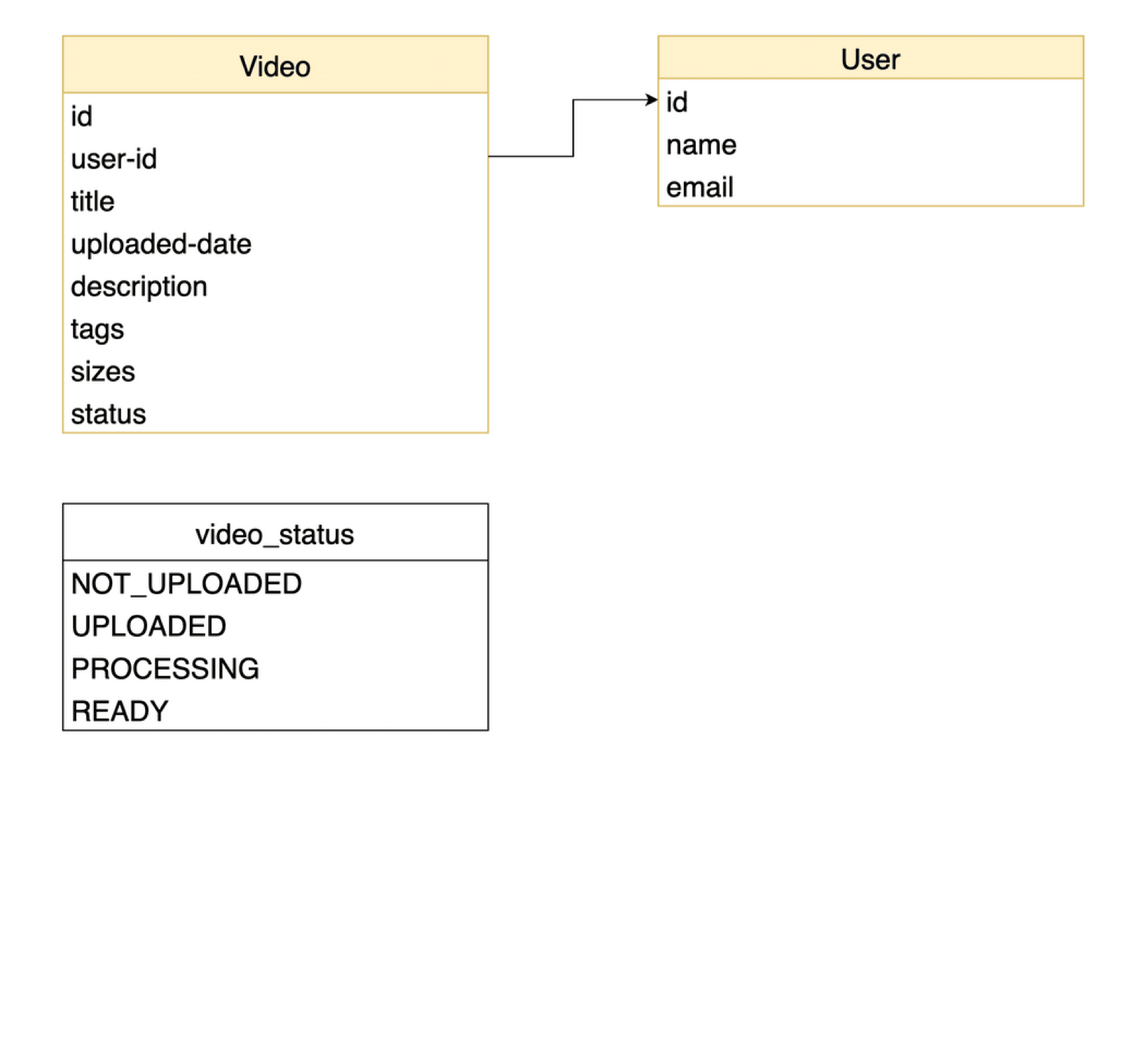
Start from the access patterns, not the fields:
| Access pattern | Key design |
|---|---|
| Get one video by its ID | Table partition key: id (no sort key, IDs are unique) |
| Get all videos uploaded by a user, newest first | GSI byUserId: partition key userId, sort key uploadedTime |
| Search videos by title, description or tags | Not DynamoDB's job. We index them in OpenSearch |
Here is the actual table from the course's CDK stack:
const table = new dynamodb.Table(this, "VideoTable", {
  partitionKey: { name: "id", type: dynamodb.AttributeType.STRING },
  billingMode: dynamodb.BillingMode.PAY_PER_REQUEST,
  removalPolicy: cdk.RemovalPolicy.DESTROY,
});

table.addGlobalSecondaryIndex({
  indexName: "byUserId",
  partitionKey: { name: "userId", type: dynamodb.AttributeType.STRING },
  sortKey: { name: "uploadedTime", type: dynamodb.AttributeType.NUMBER },
});
And querying the GSI with the AWS SDK v3 document client:
await docClient.send(new QueryCommand({
  TableName: process.env.TABLE_NAME,
  IndexName: "byUserId",
  KeyConditionExpression: "#userId = :userId",
  ExpressionAttributeNames: { "#userId": "userId" },
  ExpressionAttributeValues: { ":userId": userId },
  ScanIndexForward: false, // newest first
}));Key takeaways
- ✓Design from access patterns first. Every query needs a key that supports it.
- ✓The partition key is hashed to pick a partition; the sort key orders items inside it.
- ✓Primary key = partition key + optional sort key, and it must be unique.
- ✓Add a GSI for each extra access pattern; use a search engine for full-text search.
Build the whole thing, not just the table
VidShare is 109 lessons where you build a complete serverless video platform on AWS: API Gateway and Lambda, DynamoDB, S3 presigned uploads, MediaConvert transcoding, EventBridge, OpenSearch, all tested with Jest and deployed with CDK. Watch the free architecture lesson to see the whole system first.